
A new office with nothing set up
The practice has one doctor, two staff members and an outside billing team. Its new suite needed a network, Wi-Fi, cameras, workstations, desk phones and email set up with the safeguards HIPAA expects. Those desk phones are business phones in New Jersey, set up with the rest of the office. HIPAA is the federal law that protects patient records.
The suite already had network cable in the walls, but nobody knew what shape it was in.
What we had to work around
Budget came first. Our first plan called for eight workstations. The doctor who runs the practice wrote back:
“I’m thinking for the workstations we may need only 3-4 as I’ll have a mobile laptop and a screen to take to different rooms on a cart.”
So we started with the network and sized the computers after walking the space together.
How the work went, step by step
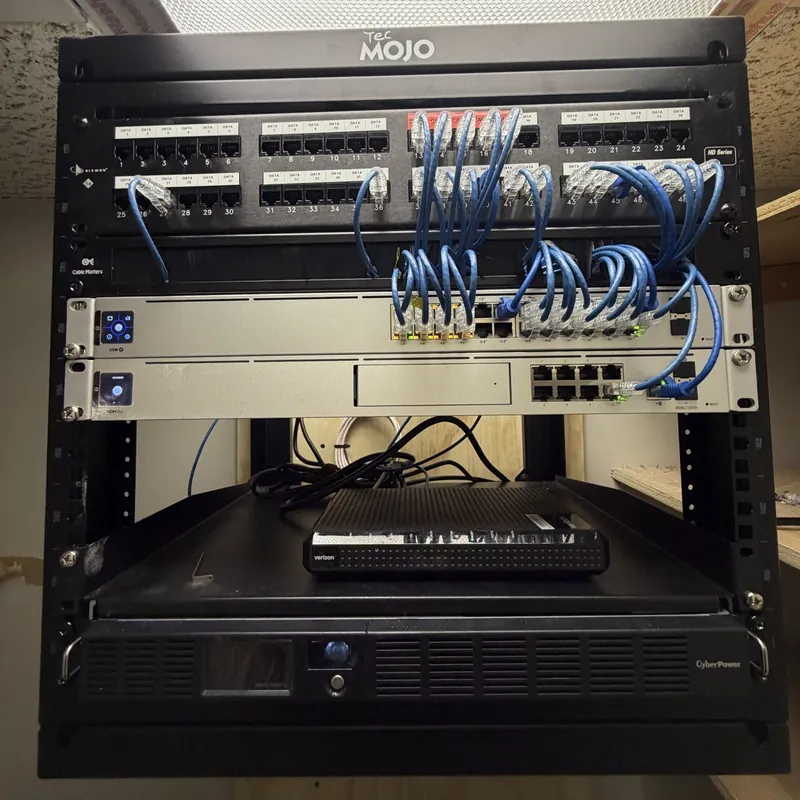
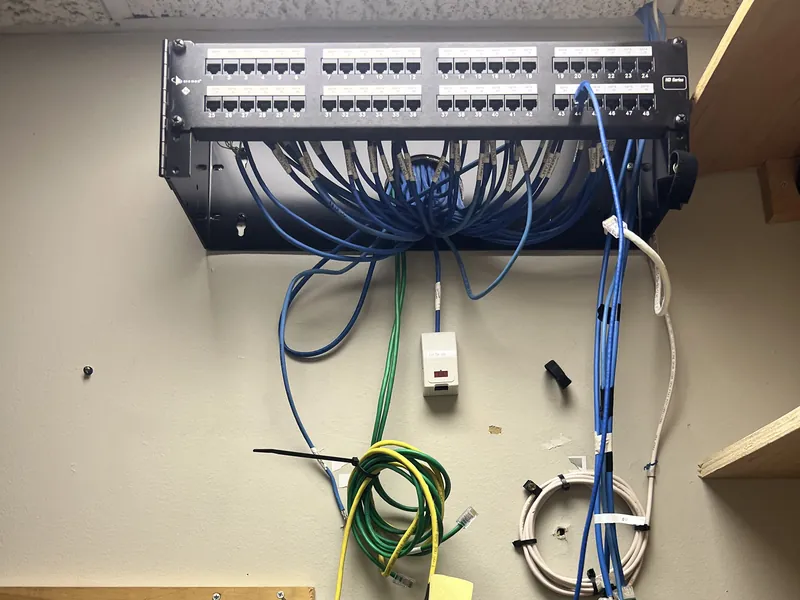
- Site survey. We found the old patch panel, where the wall cables end, with loose cables hanging below it.
- The next day. We tested the cable in the walls. Every run in use passed, so none had to be redone. Old unused runs were retired. Cameras and the email setup, with the safeguards HIPAA expects, joined the plan.
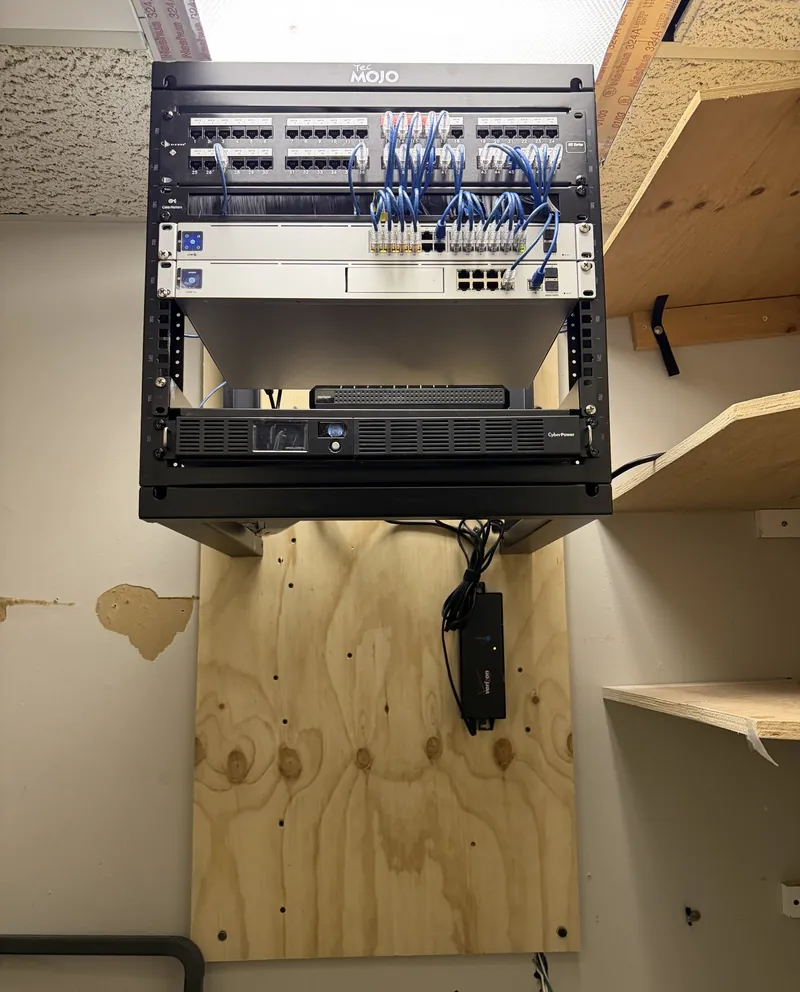
- Network install. A wall rack on a plywood board with a patch panel, a UniFi gateway (the main router), a switch and a battery backup, plus ceiling Wi-Fi access points and a UniFi Protect camera system.
- Workstation plan. Four computers, each set up with the safeguards HIPAA expects. The doctor’s desk got a tower with two monitors and a KVM switch, which lets one keyboard and mouse control more than one computer.
- Two visits in June. Installed the workstations, docks and desk phones.
- Email and files. Finished the computers and set up Google Workspace with the safeguards HIPAA expects, with shared drives the practice controls and DMARC, a setting that stops others from sending email in the practice’s name.
- Last visit. Set the copier to scan to email only inside the practice, with scans encrypted on the way.
What we ran into
The cable was a good surprise: it tested clean, so the network came in under our first estimate.
The building was a harder one. It is a condo office building, and its managing agent turned down our first insurance certificate. They wanted more coverage shown and the building named on the policy. We had a revised certificate issued the same day, and the next visit went ahead.
The office was set up in about five weeks
From the site survey to the last visit took about five weeks.
“Thank you so much for taking time to help us set up the office IT structure that has helped our current operations.”
What happened after
We wrote up a guide to every system and moved the network account into the practice’s name, so the office owns everything we set up.
Related: Medical office IT in NYC, Medical offices, Build-Outs & Moves, New Jersey
Opening a new medical office
Book a call or get an assessment. Tell us your move-in date.
Pelham, NY. (914) 714-4312