
It worked for months. Then the TVs went in.
This office already ran a UniFi network, and it had worked well for about six months. The trouble started after TVs were installed.
Then the reports piled up: Wi-Fi drops, dead zones and slow speeds. Their in-house IT team brought us in as outside specialists.
Measure first.
On Thursday, April 4 we surveyed the Wi-Fi across the floor and went through how the network was set up.
We came back on Saturday, April 13 with a second tech to do the rebuild.
Every port tested. Then a clean slate.
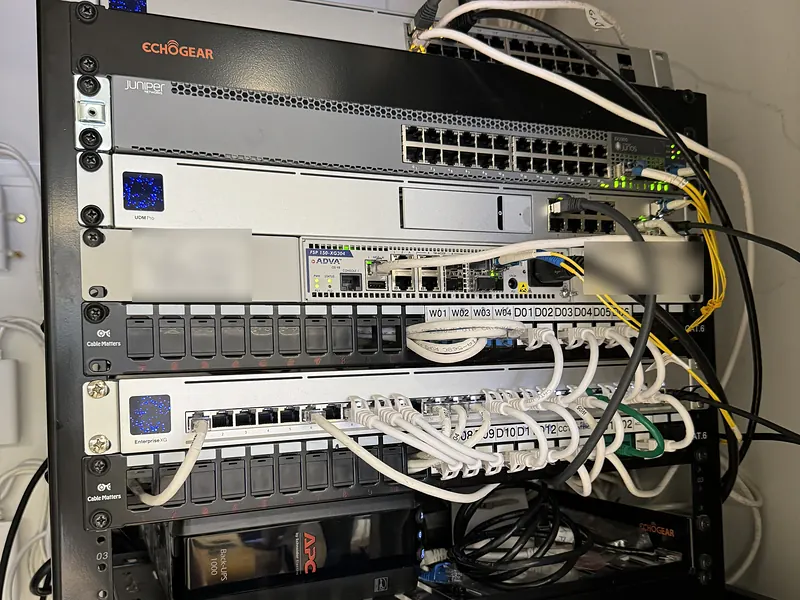
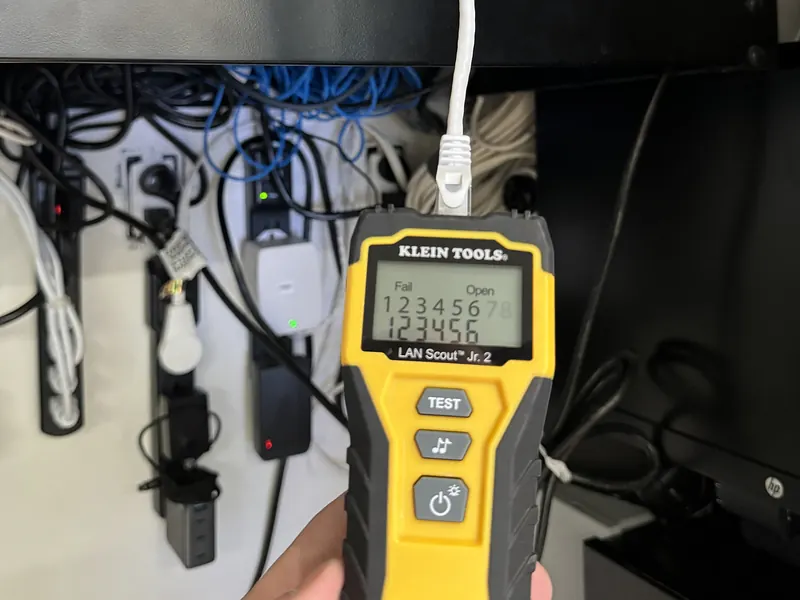
- Traced, labeled and tested every office port
- Factory reset the gateway, switches and access points, then rebuilt the configuration
- Updated the console firmware and the network application
- Recreated the Wi-Fi with access points at lower power and a cutoff for weak connections
- Found the backup fiber line offline and set up automatic failover
Two of the four phone booths were stuck at 100 Mbps on the first visit. On April 13 their cables tested clean and ran near gigabit after a power cycle.
We finished the backup line setup with Ubiquiti support on April 17.
Provider labels are blurred in the rack photo.
A full office day with no drops.
On a busy office day in May, their IT team reported no Wi-Fi drops, no dead zones and no slow speeds.
In June the main line had packet loss, and the network switched to the backup line on its own.
Two access points still linked at 100 Mbps, most likely because of their cabling.
Later that year they brought us back to set up the network at their next office.
Related: Business Networking & Wi-Fi, IT Support, New York City
Wi-Fi getting worse, not better?
Book a call or get an assessment. We start by measuring, then fix what the numbers point to.
Pelham, NY. (914) 714-4312